Built for bars, salons, and small service teams
Scheduling without the corporate HR bloat.
Build weekly schedules, collect availability, manage shift swaps, and keep everyone updated — from one clean app. No payroll, no onboarding flows, no compliance maze to wade through before you can publish Tuesday.
30 days free — full Team features. No credit card. Download on the App Store →
- Free trial
- 30 days, full Team
- Apps
- iOS + web dashboard
- Built for
- Bars, salons, small shops
Built for how small shops actually work
The schedule, handled.
Four questions, answered fast: who's working, who's available, what's open, what changed.
01 — Schedule
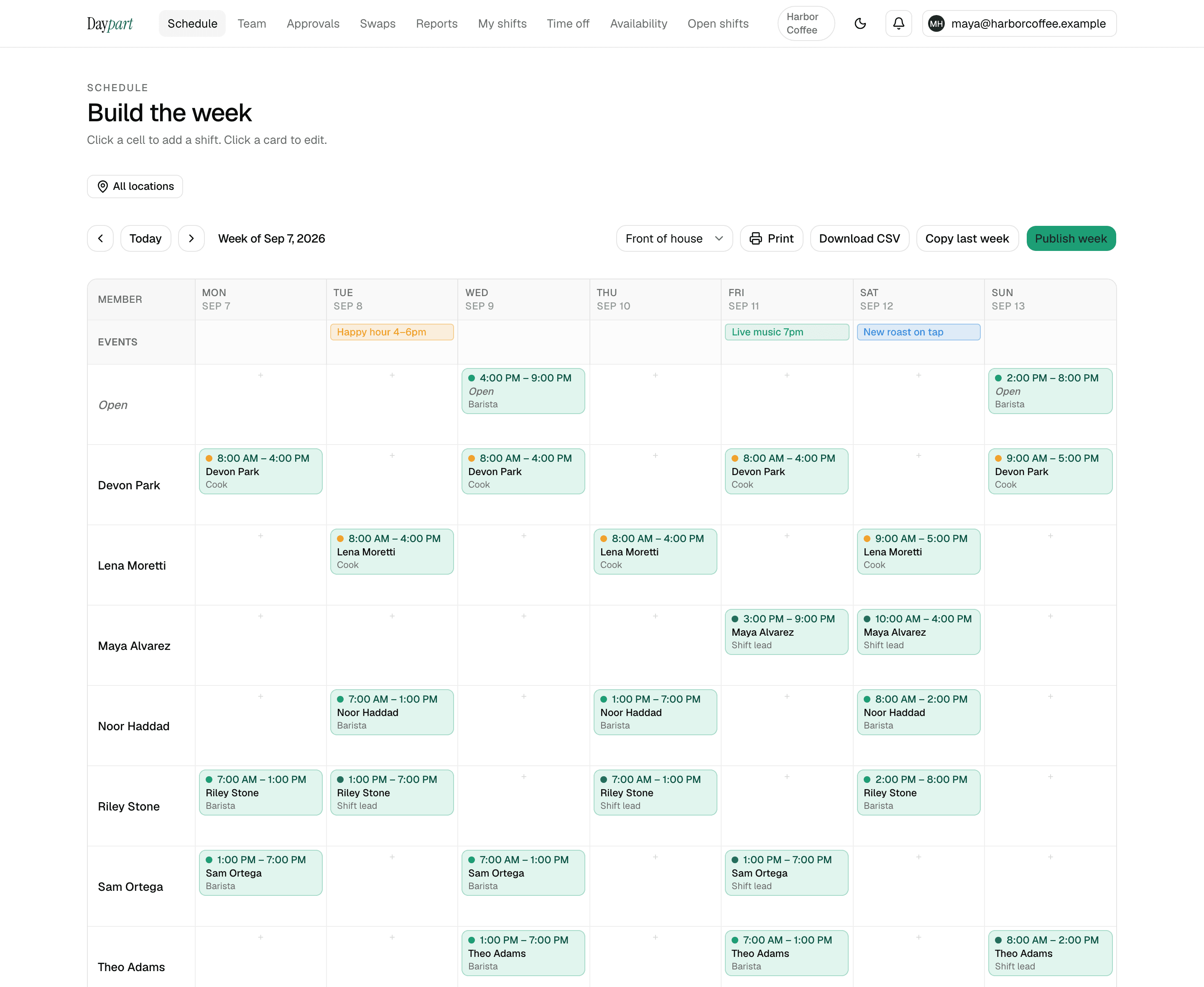
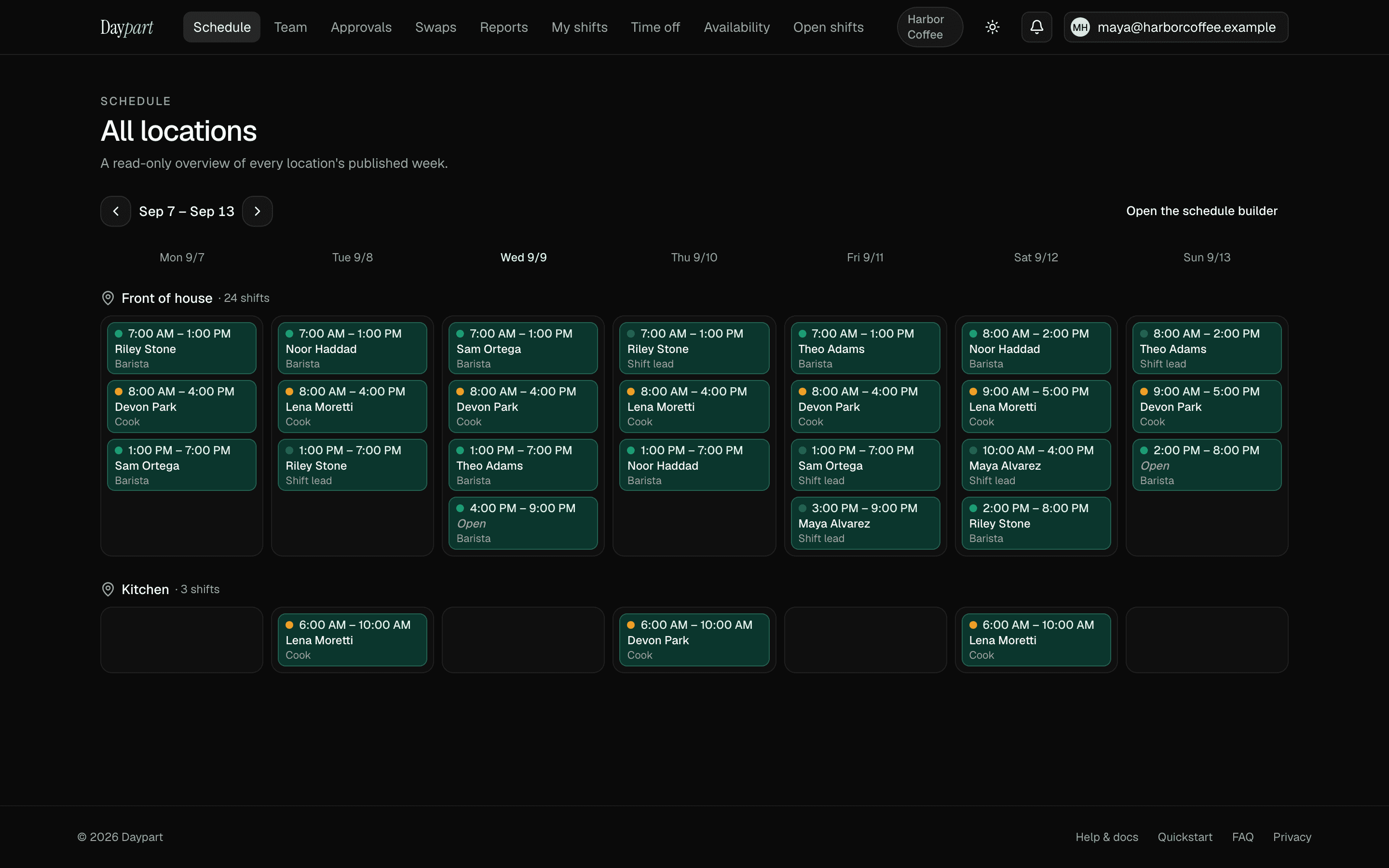
Weekly schedule builder
Drag a shift onto a day, snap to half-hour cells, copy last week with one button. The week comes together in minutes.
- Roles color-coded across the grid
- Day-level events row: Event, Promo, Holiday, Closure, Note
- Publish in one tap — everyone assigned gets the update
02 — Requests
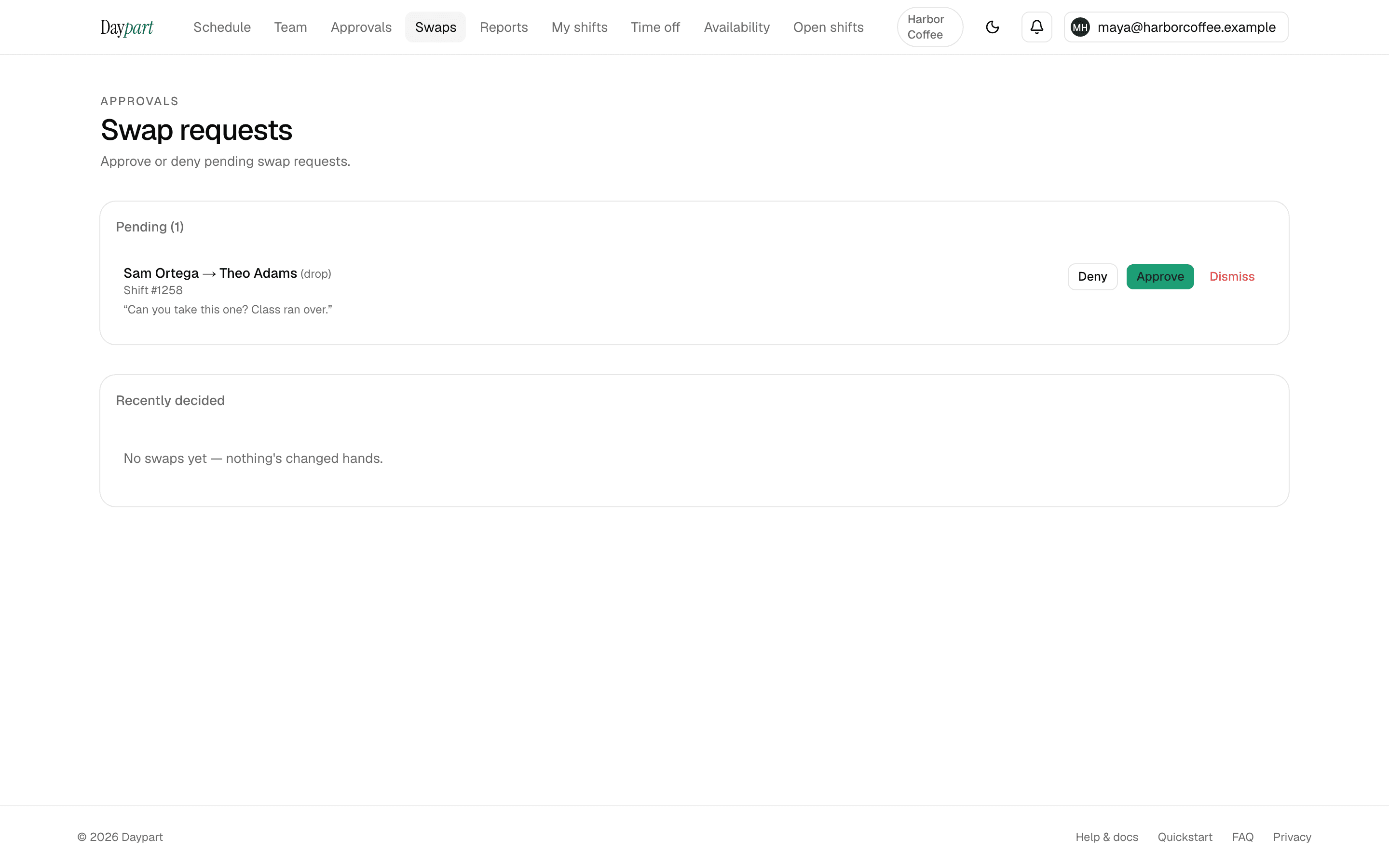
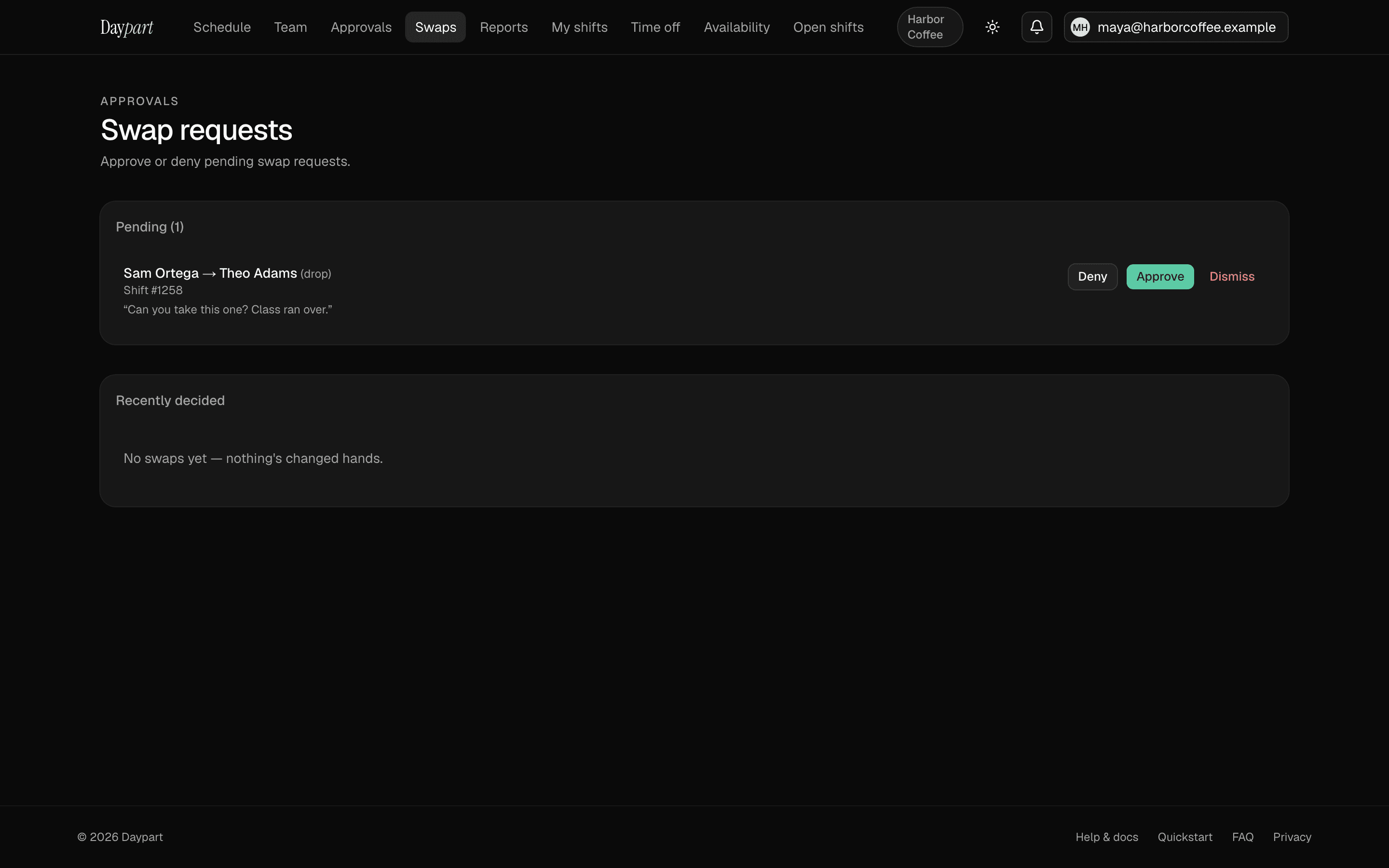
Shift swaps & trades
Crew requests a drop or a two-way trade. Manager approves with a 7-second undo. Full audit trail on every decision.
- Time-off requests share the same approval queue
- Approvals flow straight onto the schedule
- Change a decision later — the history stays
03 — Coverage
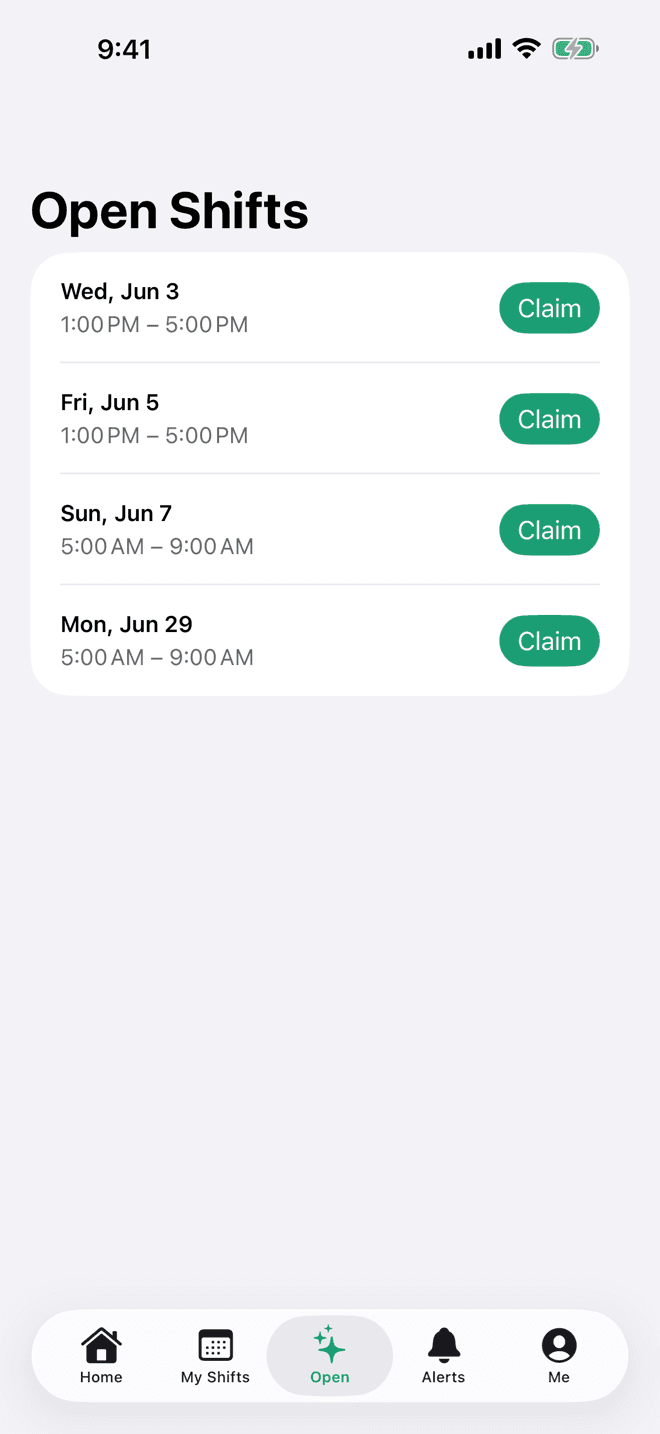
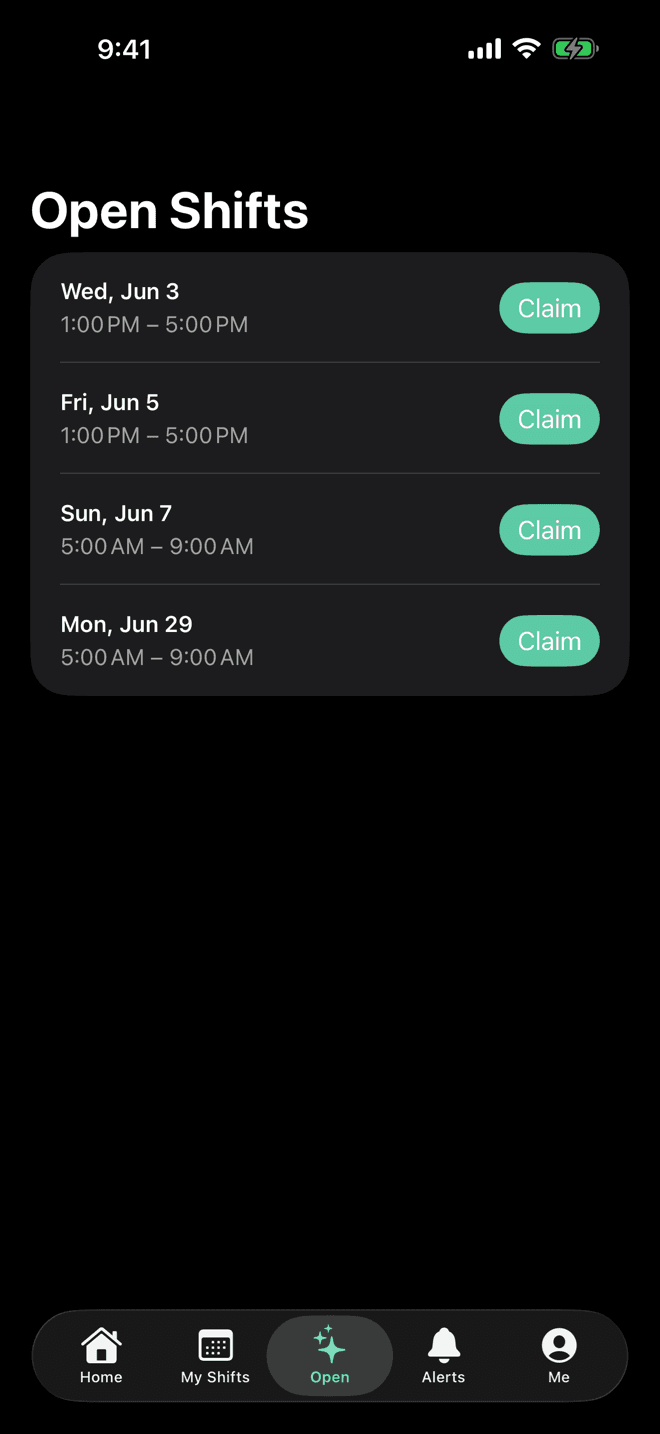
Open shifts to claim
Post an unfilled shift; qualified teammates see it on the app. First come, first scheduled — the row drops out of the list.
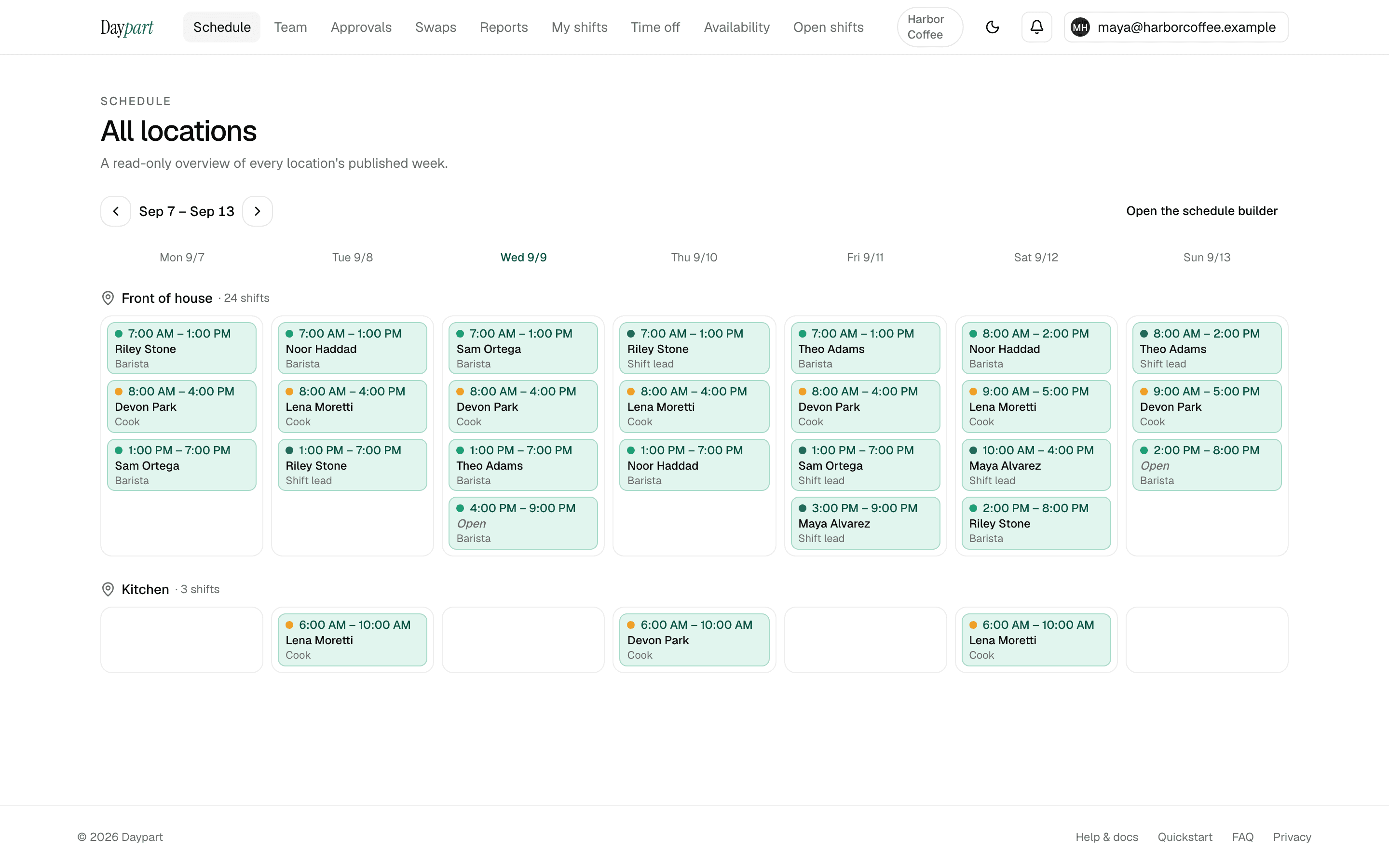
- Every location's published week, side by side
- Availability collection flags conflicts before you publish
- Nobody's blowing up the group chat at 4 p.m.
04 — Reporting
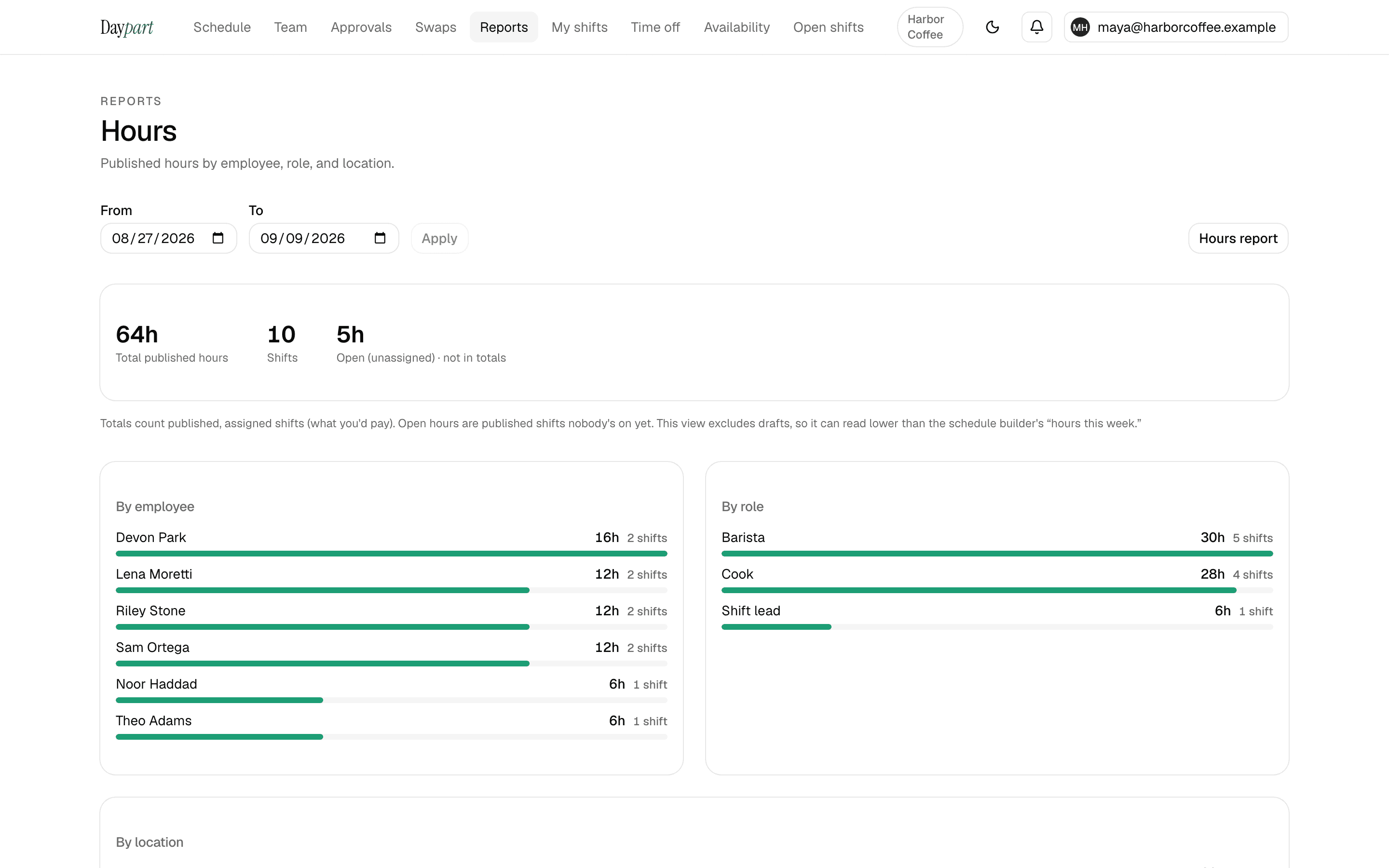
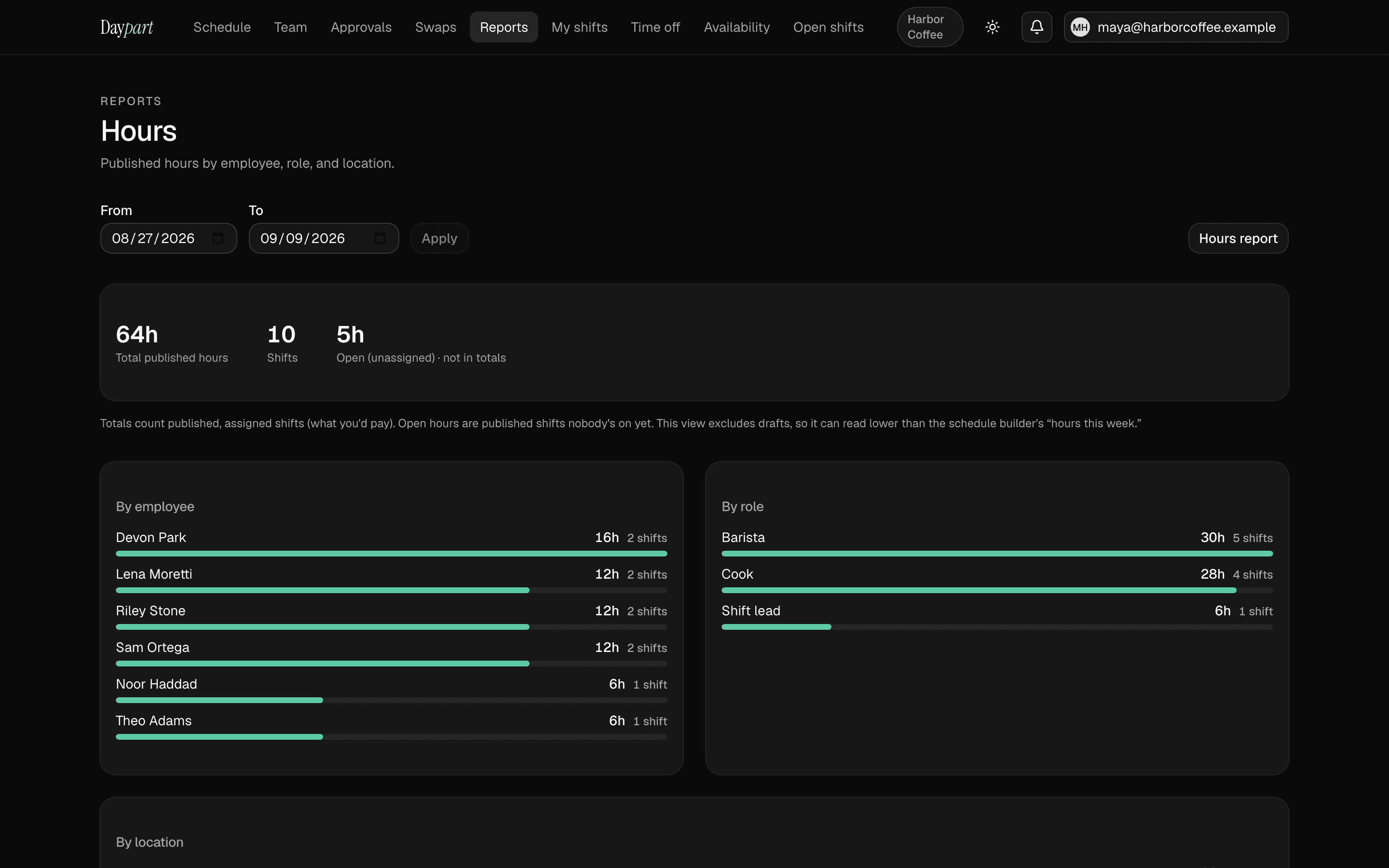
Hours, without the spreadsheet
Published hours by employee, role, and location. Overtime heads-up before it happens, a weekly email summary, and CSV exports with Gusto and QuickBooks presets.
- Hours dashboard
- Overtime alerts
- Payroll-ready CSV
Also included
Everything on the Team plan. No add-ons, no per-feature pricing.
Availability collection
Each teammate sets when they can work — split shifts welcome. The builder flags conflicts before you publish.
Publish in one tap
Push the week live and every assigned teammate gets the update — in the Activity feed, by email, or both. No group text needed.
Time-off requests
A clean approval queue with the same undo-and-change-decision UX as swaps. Approvals flow straight onto the schedule.
Day-level events row
Pin an Event, Promo, Holiday, Closure, or Note above each day so the whole week reads at a glance.
Smart notifications
Schedule published. Swap approved. Shift starts in 30. 10 kinds, throttled so no one gets spammed during weekly planning.
Print-friendly schedule
Black-and-white weekly schedule for the fridge or the back-of-house corkboard. Density toggle for poster or handout sizing.
What we're not building.
No payroll. No tax filings. No HR onboarding flows. No multi-state compliance maze. Daypart is a scheduling command center — not another HR platform you have to babysit. We'll integrate with the tools you already use for the rest.
On iPhone & iPad
The app your crew will actually open.
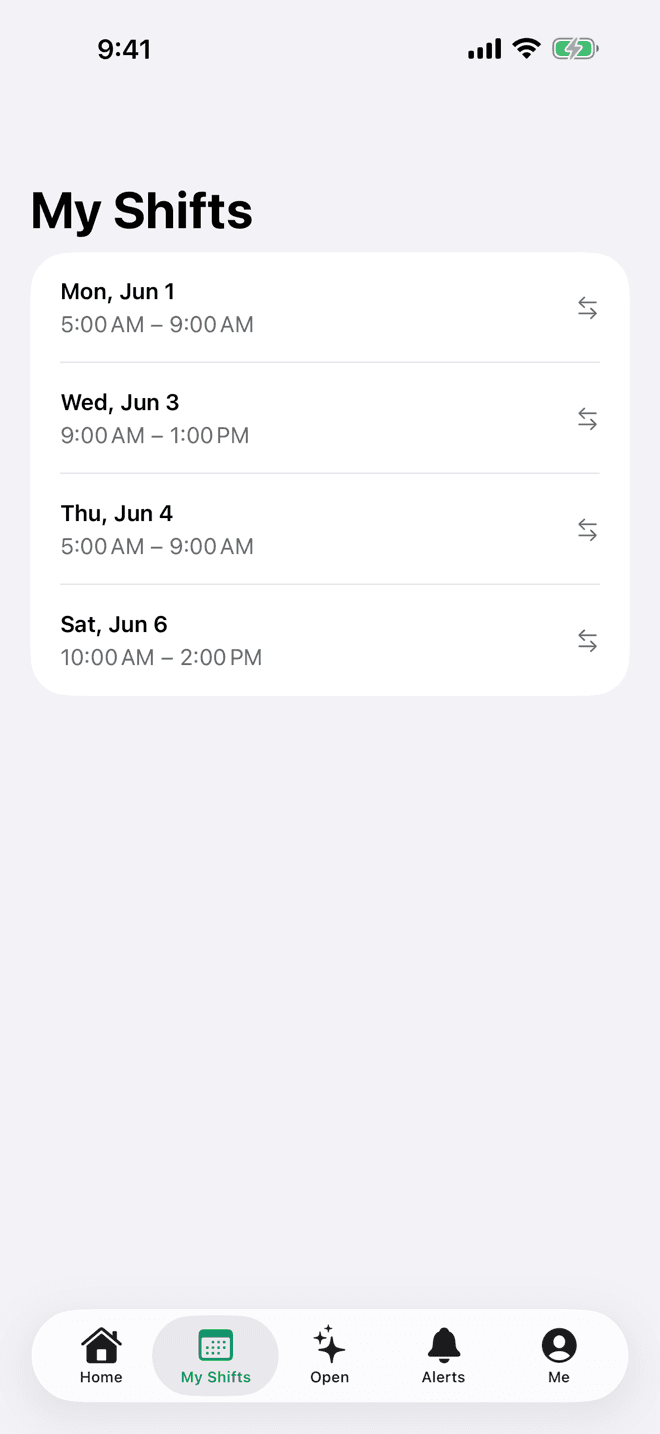
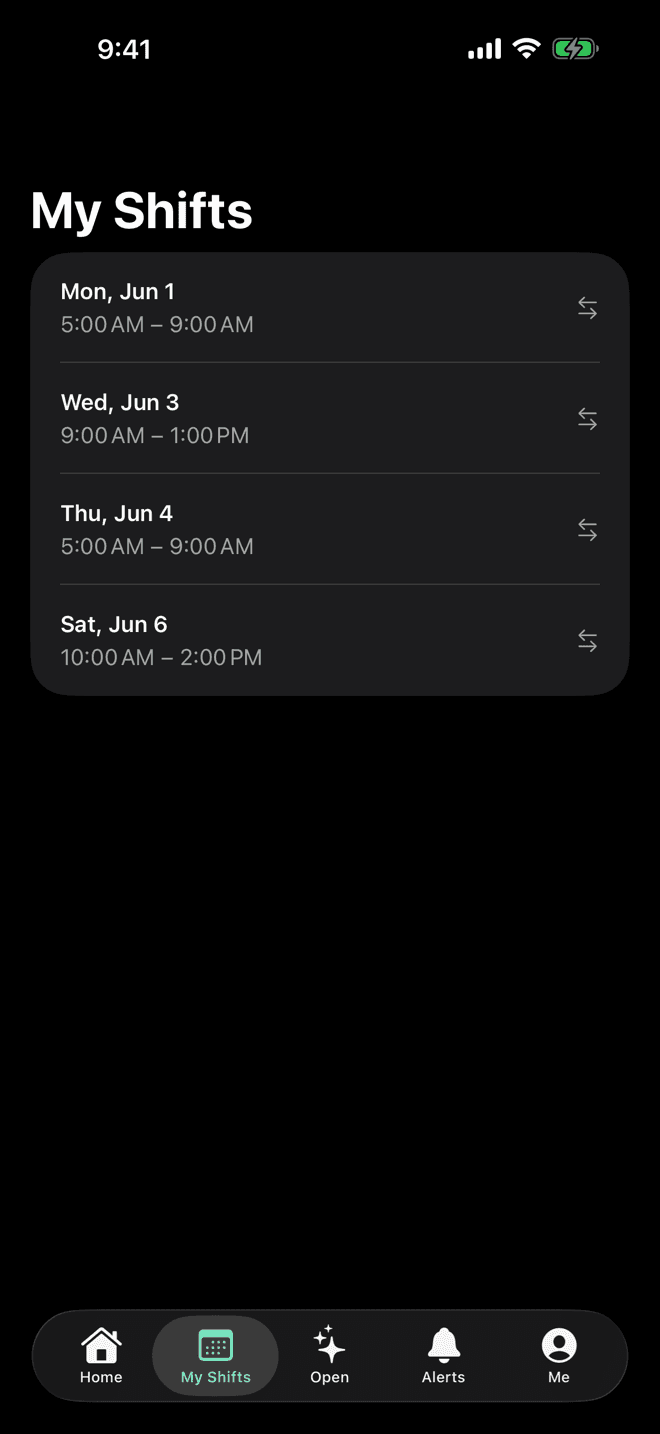
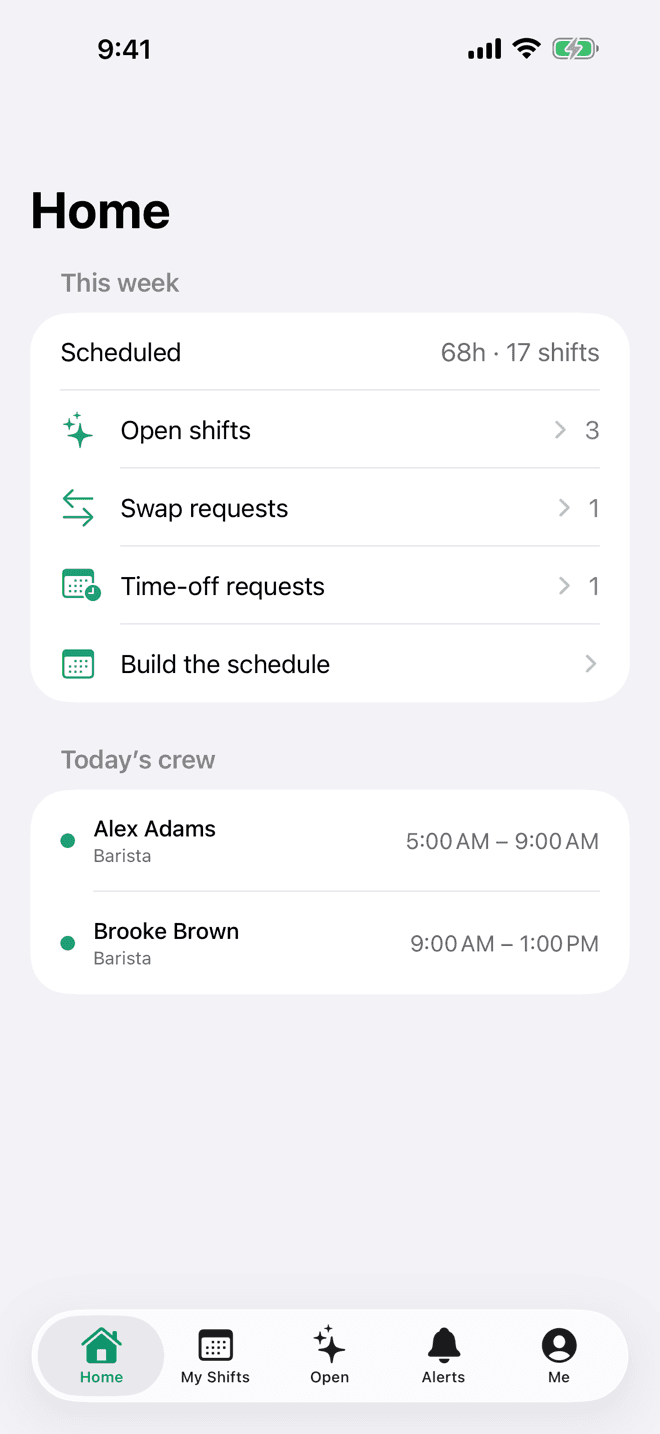
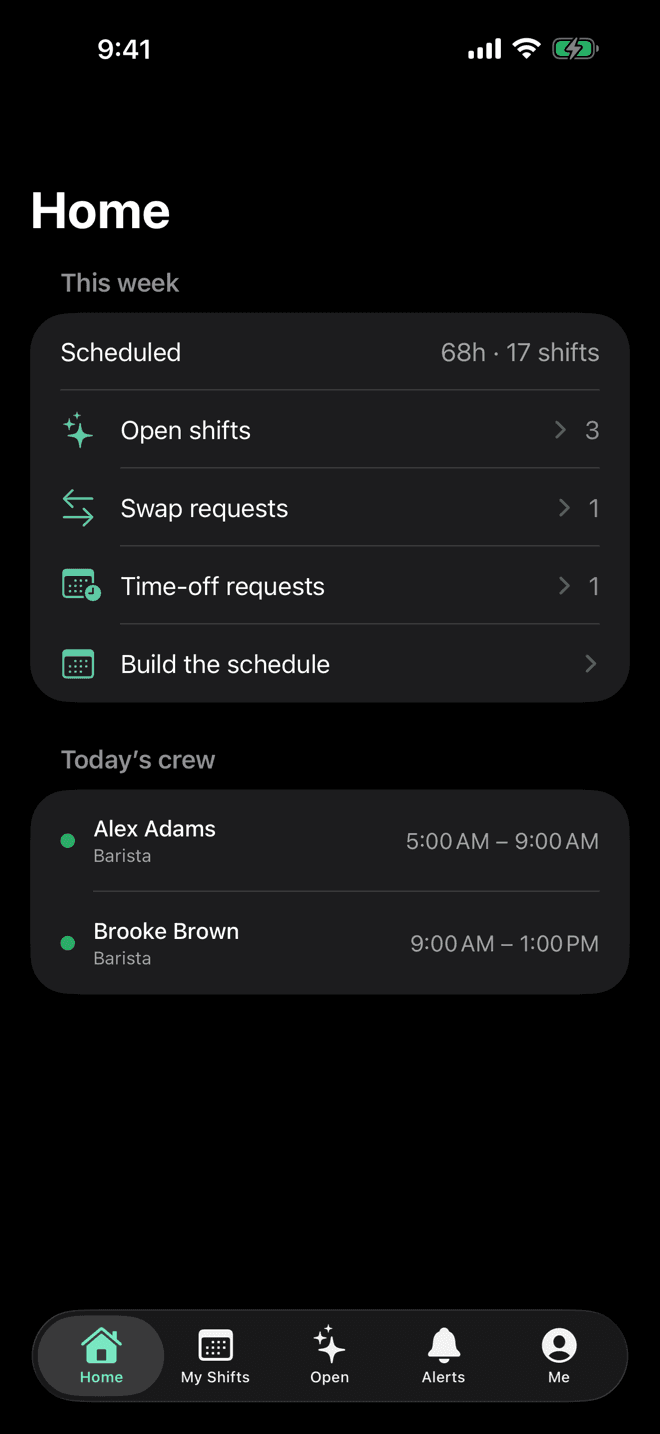
A real native app — not a shrunk-down website. The next shift on the Lock Screen, shifts in Apple Calendar, and alerts the moment anything changes.
For the crew
On your Lock Screen
Your next shift, right on the Lock Screen and Home Screen. A glance — no tap, no app to open.
In Apple Calendar
Daypart keeps your shifts in Apple Calendar automatically — so they show on your Apple Watch and every calendar app you already use.
A heads-up before every shift
An optional reminder 15 minutes to 2 hours before you clock in. Set it once; it just works.
Claim, swap, request off
Pick up open shifts, propose a swap, set your availability, and book time off — all in a tap.
Opens instantly, even on bad signal
Your shifts, open list, and alerts show the moment you open the app and refresh in the background — and stay put when the network drops in the back of house.
Ask Siri, search in Spotlight
“Next shift,” “open shifts,” and “my week” work as Siri shortcuts — and your shifts turn up in Spotlight search, straight to the right screen.
For managers
Build the week from your phone
A people-by-day roster, drag to assign, live conflict checks, and a print-ready PDF — the full builder, native.
Instant alerts
Know the second a shift changes, a swap needs a decision, or the week goes live — pushed straight to the team's phones.
Built for
Small teams that actually work shifts.
If your week starts with a group text and ends with a screenshot, you're who we're building for. Daypart fits crews of 3 to 75 — owner-run, not enterprise-run.
Bars & restaurants
FOH/BOH roles, overnight shifts
Cafés
Opens, closes, student availability
Salons & barbers
Chair renters and employees
Cleaning crews
Multi-location, publish-and-notify
Retail shops
Weekend coverage
Medical spas
Front desk + practitioners
Trades & service
Where everyone's going tomorrow
Food trucks
Event-driven weeks
And event staff, fitness studios, small agencies — anyone scheduling part-time crews on a weekly rhythm. Scheduling guides by industry: restaurants, bars, cafés, salons, cleaning companies, and retail shops
Honest pricing
Honest pricing for small teams.
Start with a 30-day free trial of Team — no credit card. When it ends, keep going on Team; upgrade right in the app.
Team
Everything you need to run your week.
First 30 days free
Full Team features — no credit card.
Everything included
- Shift swaps + two-way trades
- Time-off approvals + audit log
- Multi-manager delegation
- Hours reporting + weekly email
- Overtime heads-up alerts
- CSV / payroll exports (Gusto, QuickBooks)
- Multi-location aggregate view
- Up to 75 teammates · 10 locations
When the 30-day trial ends the account goes read-only until you upgrade — your data is never deleted.
What Daypart is, and what it isn't
Narrow on purpose.
We don't want to be your HR platform. We want to be the scheduler your shop actually opens every Sunday afternoon.
- Build the week's scheduleYesYes
- Open shifts + claimsYesYes
- Shift swaps with approvalYesYes
- Time-off requestsYesYes
- iOS app for the crewYesYes
- Payroll & tax filingsNo · by designYes
- HR onboarding flowsNo · by designYes
- Multi-state complianceNo · by designYes
- Time clockRoadmapYes
- Pricing$20/mo (30-day free trial)$20–$100+/mo, per-feature
- Setup time10 minutesAn afternoon
Daypart is intentionally narrow. If you need payroll and HR bundled, you have great options — Homebase, When I Work, Connecteam, Deputy. If what you actually want is just the scheduler, and you'd rather pay only for what you use, this is for you.
Daypart workflow features (shift swaps, time-off approvals, audit log) available on the Team plan ($20/mo).
Who builds this
One person, not a platform team.
Daypart is built and run by one developer — the whole thing, from the iOS app to the server it runs on. That's the reason it does scheduling and nothing else: there's no roadmap to defend, no adjacent product line to cross-sell you into, and no quarter where someone decides shift planning should also do onboarding paperwork.
It also means “can you add this?” reaches the person who would build it. Email lands in an actual inbox, not a ticket queue.
— Travis Rudisill, Ghostwood Software · Read the docs
Common questions
Straight answers.
Is there a free trial? Do I need a credit card?
Every new business gets a 30-day free trial with the full Team feature set — shift swaps, time-off approvals, multiple managers, the works — and no credit card. When the trial ends, keep going on Team ($20/mo). Until you upgrade, the account goes read-only (you can still see everything; your data is never deleted).Does it handle payroll or taxes?
No. Daypart is just the scheduler. Pair it with Gusto, Wave, OnPay, or whatever your accountant already loves. We don't want to be your HR platform.Can my crew get this on their phones?
Yes — the Daypart iOS app is on the App Store for iPhone and iPad. The web app is mobile-friendly too — Safari, Chrome, or “Add to home screen” all work.How long does setup take?
For a 5-person shop with one location: about 10 minutes. Create the business, invite the crew, drag the first week's shifts, hit Publish.Can I import from another tool?
Not in v1. Cut-and-paste from your old tool is the workflow today. We'll prioritize importers once customers ask.What if a teammate quits and comes back?
Removing a teammate keeps their historical shifts intact. Re-invite the same email and their record reactivates automatically (the “boomerang rehire” pattern).Where is my data hosted?
Single Postgres database, single US region at launch. Nightly encrypted backups to Cloudflare R2. HTTPS everywhere via HSTS preload — your browser-to-Daypart traffic is always TLS.What about light and dark mode?
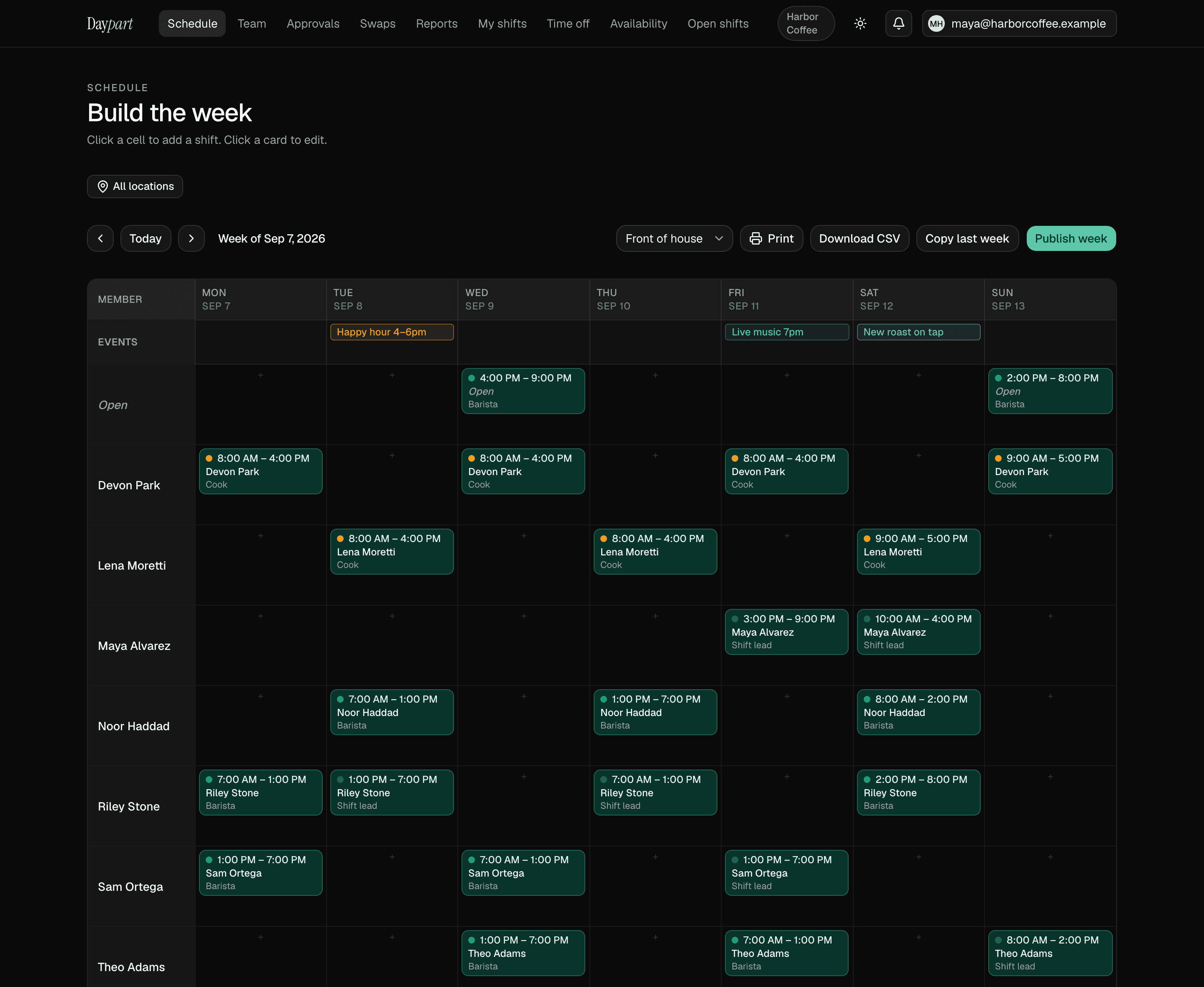
Sun-moon toggle in the top-right of every page. Choice persists across marketing and the app, and respects OS preference until you toggle.
More questions? See the full FAQ →
Your next Sunday, handled
Stop wrangling spreadsheets.
Try Daypart free for 30 days — full Team features, no credit card. When the trial ends, keep going for $20/mo. Cancel anytime; your data is always yours.
- 30-day free trial — full Team features
- iOS app for the crew — on the App Store
- Cancel anytime — your data is yours